 Marvel Controller
Free home remote
Every device in your home. One remote.
Control your receiver, TV, projector, Roku and Kodi from your phone or computer. No account, no subscription, and nothing leaves your home network.
Works with Android, Windows, Mac, Raspberry Pi and iPhone.
How it works
Set up once, use it from every phone.
Web browsers aren't allowed to talk to the devices in your home directly, so a small program called the hub does it for them. It runs on something that's always on, inside your home.
Install the hub
Put it on an Android phone or tablet, a Windows PC, a Mac or a Raspberry Pi. It installs itself and starts by itself from then on.
Add your devices
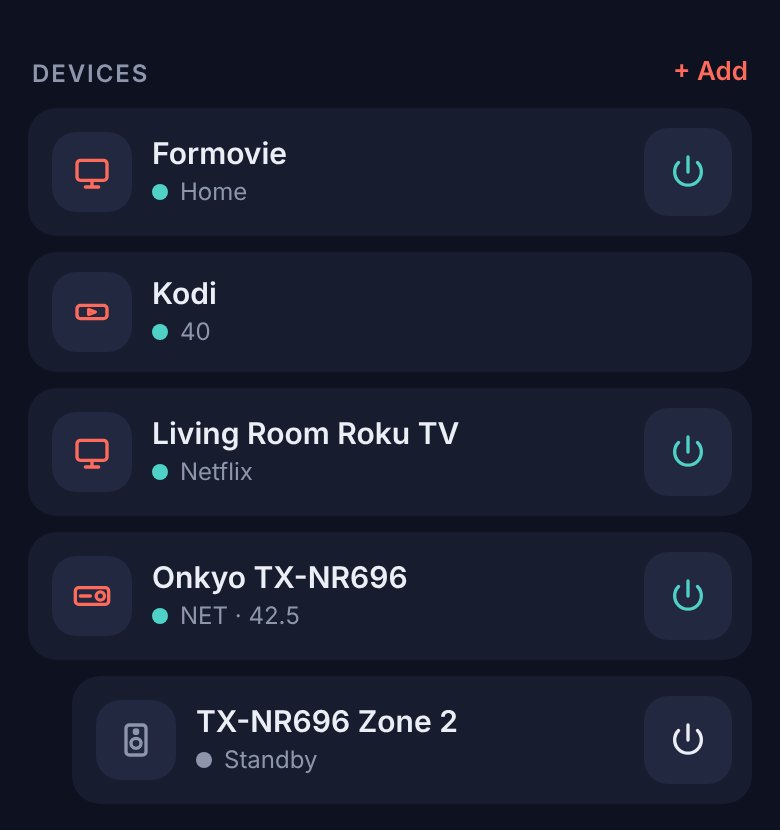
Tap Devices → + Add. The hub scans your Wi-Fi and lists what it finds. Pick the ones you want.
Pair your phones
Open marvelcontroller.com/app on any phone at home, enter the hub's address and the 6-digit code it shows. Done.
Devices
Works with what you already own.
AV receivers
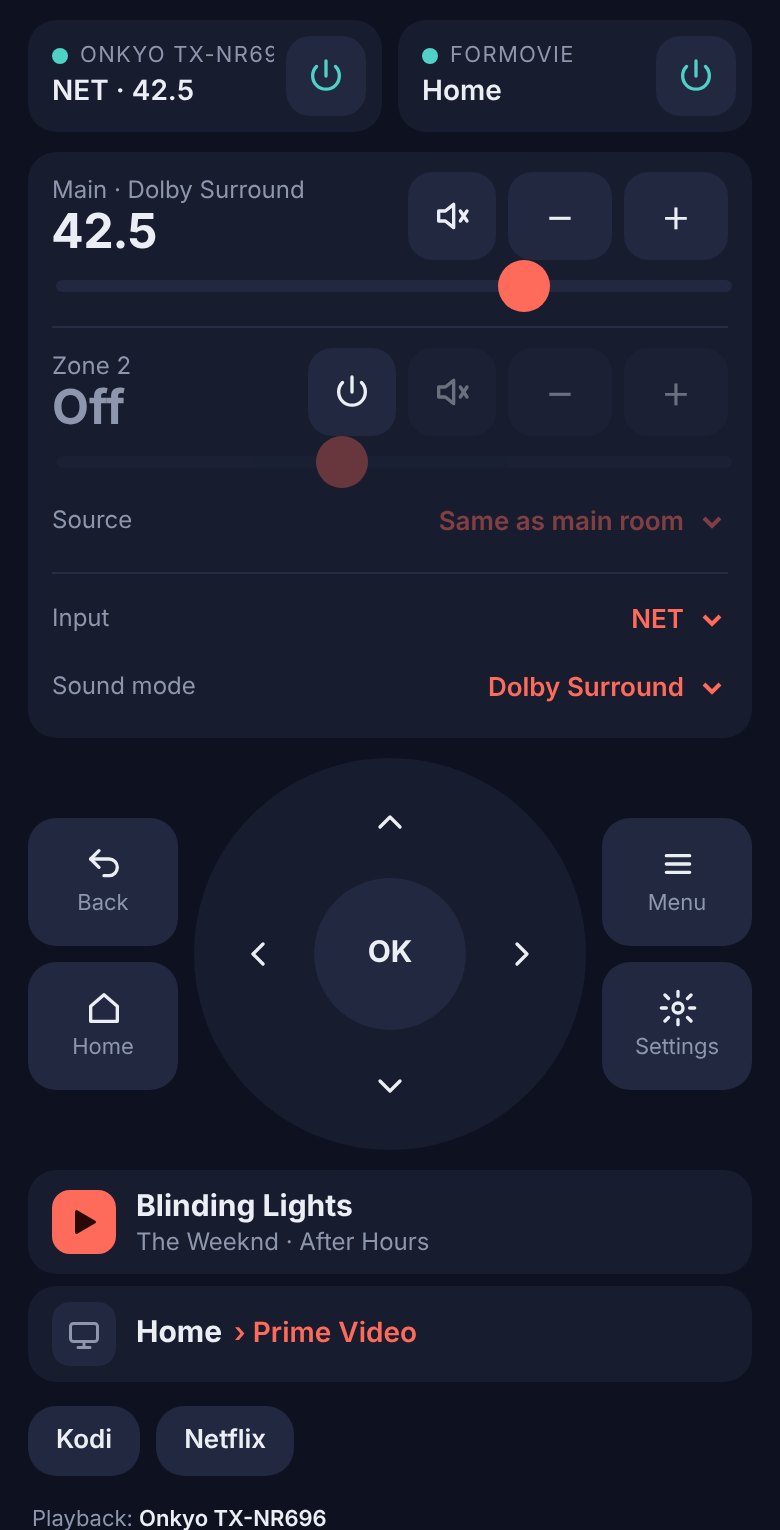
Power, volume, inputs, listening modes, a separately controlled Zone 2, and play/pause for Spotify and network audio.
Onkyo, Integra and Pioneer network receivers
Android TV and projectors
Navigation, apps, typing, playback, and a live view of what's highlighted on screen.
Android TV, Google TV and Android projectors such as Formovie
Roku
The full Roku remote, channels and typing.
Roku TVs, sticks and boxes
Kodi
Menus, playback and volume for your media center.
Kodi on any computer or box
More kinds of devices are on the way. Tell us what you'd like to see.
Why Marvel Controller
Built for the couch, not the cloud.
One screen
Volume from the receiver, navigation from the TV, playback from whatever is playing, all together.
Private
No account, no cloud, no tracking. The hub and your devices talk only inside your home.
Paired phones only
Each phone pairs with a code shown on the hub. Visitors on your Wi-Fi can't take over.
Live status
See the input, volume, what's playing and what's highlighted on screen, updated as it changes.
Always up to date
The app updates itself from this site. Your devices and pairings carry over.
Free
No ads and nothing to unlock. Donations keep it that way.
Download
Get started in a couple of minutes.
Install the hub on one device that stays at home. Every other phone just opens the app in its browser.
Already have a hub running? Open the app.
Support
Keep Marvel Controller free.
It's made by one person in their spare time. If it saves you from hunting for three remotes, a donation helps pay for hosting, test devices and new features.
- Everything stays free, whether you donate or not.
- One-time donations, any amount.
- Donations go to the developer and aren't tax-deductible.
Questions
Good to know
Is it really free?
Yes. There are no ads, no account and nothing to unlock. If you find it useful, you can donate.
Why do I need to install a hub?
Web pages aren't allowed to talk to receivers and TVs directly. The hub is a small program on one device in your home that does it for them. An Android phone or tablet you leave plugged in, a PC that's usually on, or a Raspberry Pi all work well.
Does it work when I'm away from home?
It's made for your home Wi-Fi: your phone needs to be on the same network as the hub. That keeps your devices out of reach of the internet.
Windows or my phone warned me about the download. Is it safe?
The warning appears because the app isn't sold through an app store and doesn't yet carry a paid publisher certificate. Download it only from this site. On Windows click More info → Run anyway; on Android tap Install anyway.
Can I use it on an iPhone?
Yes, as the remote. Apple doesn't allow installing apps from websites, so the hub has to run on another device (a computer, Android phone or Raspberry Pi). Then open the app in Safari and tap Share → Add to Home Screen.
My receiver or TV isn't found.
Make sure it's on the same Wi-Fi and that network control is turned on: Network Standby on receivers, Network debugging in Developer options on Android TVs and projectors, Control by mobile apps on Roku, and Allow remote control via HTTP in Kodi. You can also add a device by its IP address.
How do I uninstall it?
Windows: Settings → Apps → Marvel Controller → Uninstall, or Setup → Uninstall in the app. Mac: drag it from Applications to the Trash. Android: uninstall it like any app. Raspberry Pi: sudo systemctl disable --now marvelhub.